Two-part virtual analog,
every preset at hand.

Synthax1 is a free, open-source synthesizer with four oscillators, a filter for each of its two parts and modulation you can see — plus a preset browser that finds every bank and preset on your drive and lets you hear them one click at a time.

Windows · macOS · Linux — VST3 · AU · Standalone — free & open source
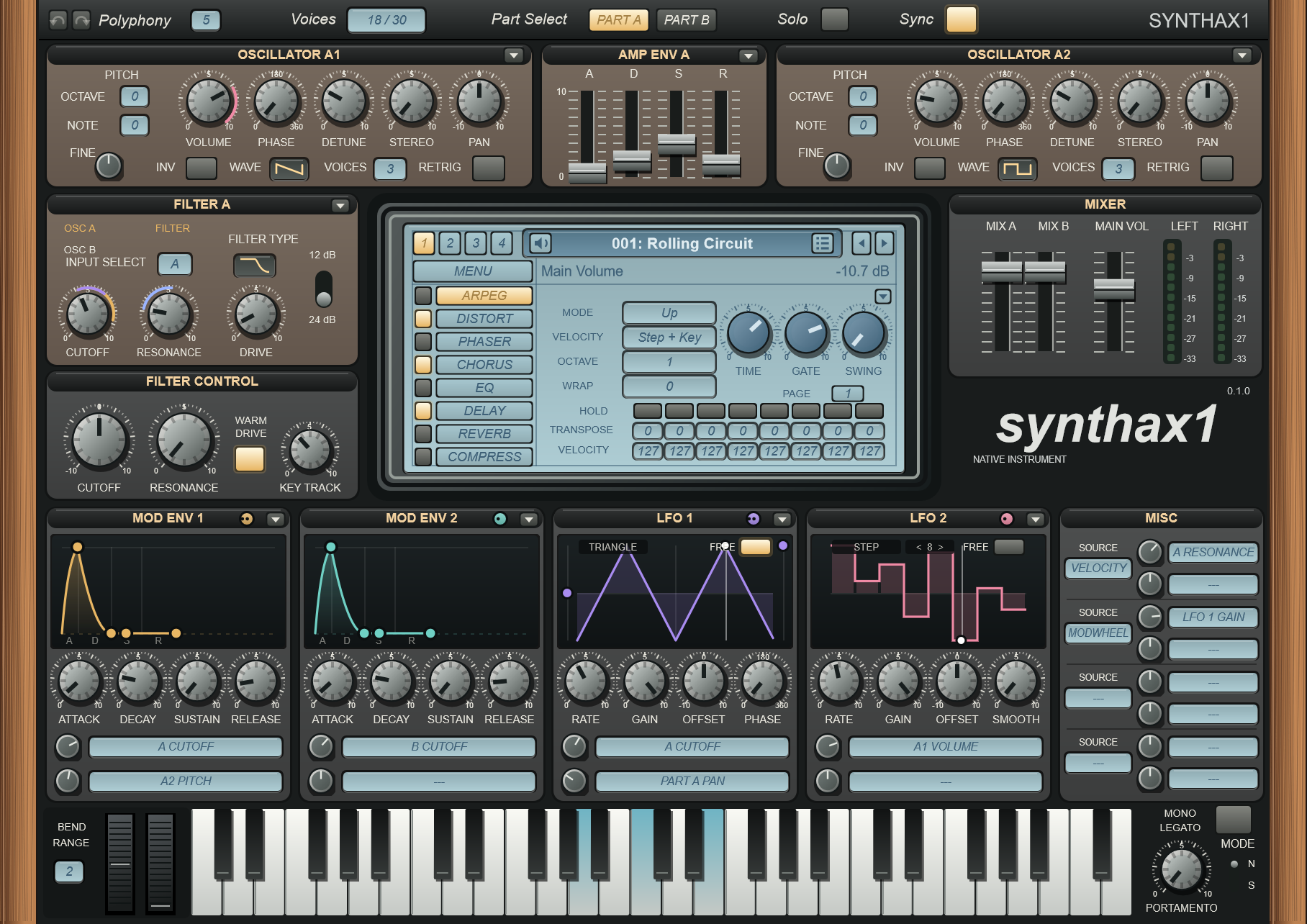
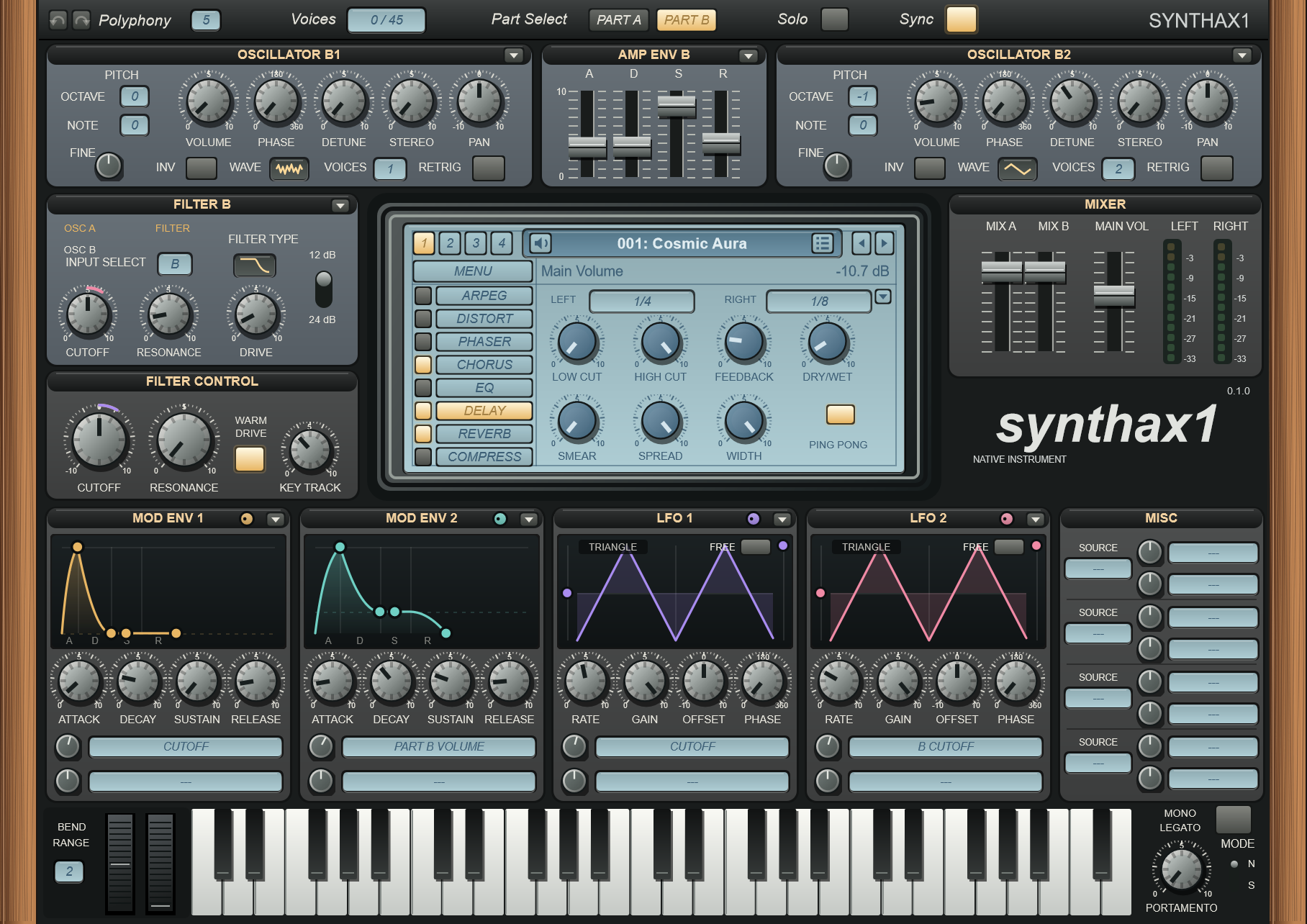
The Synthax1 main window: oscillators, amp envelope, filters, the LCD with the arpeggiator page, the mixer, and the modulation row with envelope and LFO curves

The Instrument

A classic two-part layout, with a modulation row that shows what every source is doing.

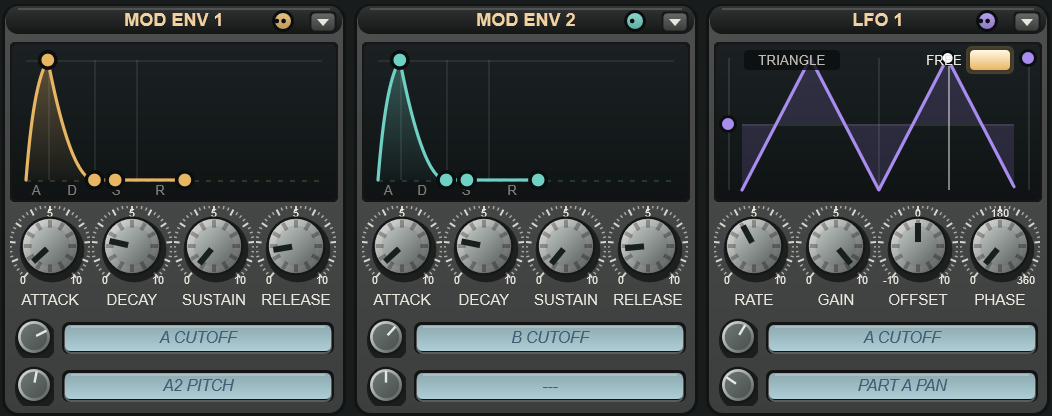
The modulation row: Mod Env 1 and 2 curves, LFO 1 and 2 waveforms, and route rows with an amount knob and a destination box
Modulation

See the Curves, Drag the Routes

Every envelope and LFO draws its own shape, and each panel has a colored handle: drag it onto any knob to route that source there. Each source has two route rows — an amount knob and a destination box — so what's modulated is always in plain sight.

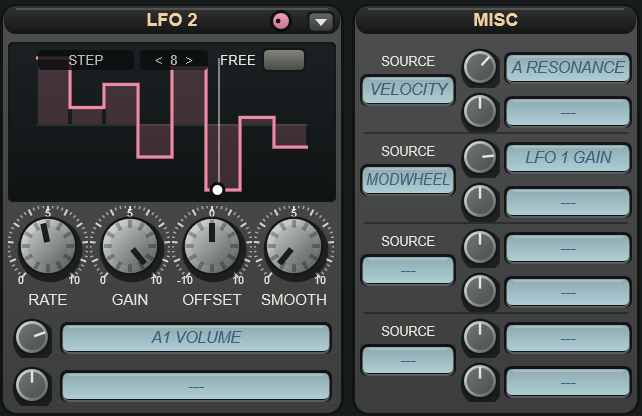
LFO 2 in Step mode with eight drawn steps and the playback cursor, next to the Misc panel with Velocity and Mod Wheel routes
LFOs

Draw Steps, Watch Them Play

Pick the Step shape and draw up to sixteen steps right on the display, with a Smooth knob to glide between them. A cursor follows the LFO as it runs, restarting with each new note.

  • Free rates from 0.042 to 192 Hz, or tempo sync from 8/1D down to 1/256T
  • A FREE switch keeps an LFO running across notes
  • Four Misc slots take Velocity, Mod Wheel, Key Track, Aftertouch and more
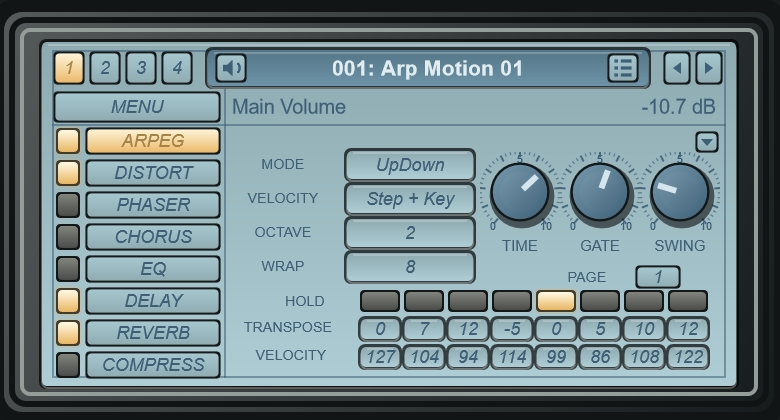
The LCD on the arpeggiator page: mode, velocity, octave, wrap, and per-step hold, transpose and velocity
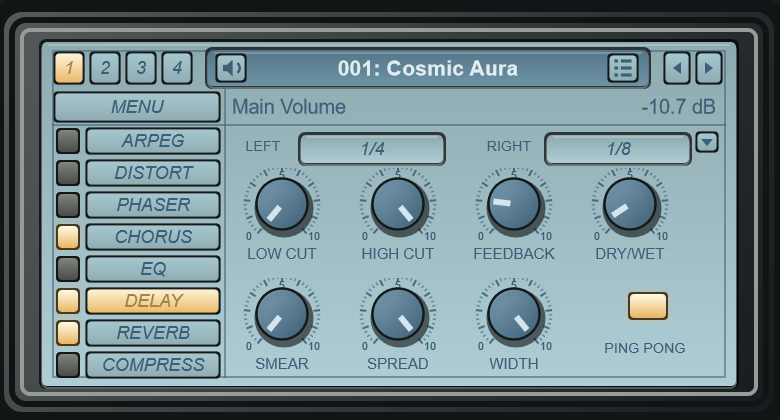
The LCD on the delay page
Arp & Effects

A 16-Step Arpeggiator and Seven Effects

Ten arp modes with per-step hold, transpose and velocity, and Wrap to loop any number of steps. Distortion, phaser, chorus, EQ, delay, reverb and compressor each get their own page on the central display.

Two stereo parts

Four oscillators with up to eight unison voices each, eight waveforms, detune, stereo and phase.

Filters

A lowpass, bandpass or highpass filter for each part, 12 or 24 dB, with input routing, drive and a shared Filter Control.

Envelopes & LFOs

Two amp envelopes, two modulation envelopes and two LFOs, all drawn live.

Automation for everything

Every control is a host parameter, the wheels included; right click for the host's automation menu.

Unlimited undo

Undo and redo every edit with the toolbar arrows or Ctrl+Z / Ctrl+Y; Ctrl+click resets a knob.

Keyboard navigation

Arrow keys step through programs and banks; click the program name for the whole bank's list.

The Preset Browser

Point it at one folder. It finds every bank and preset below it — hundreds of thousands of programs list in seconds.

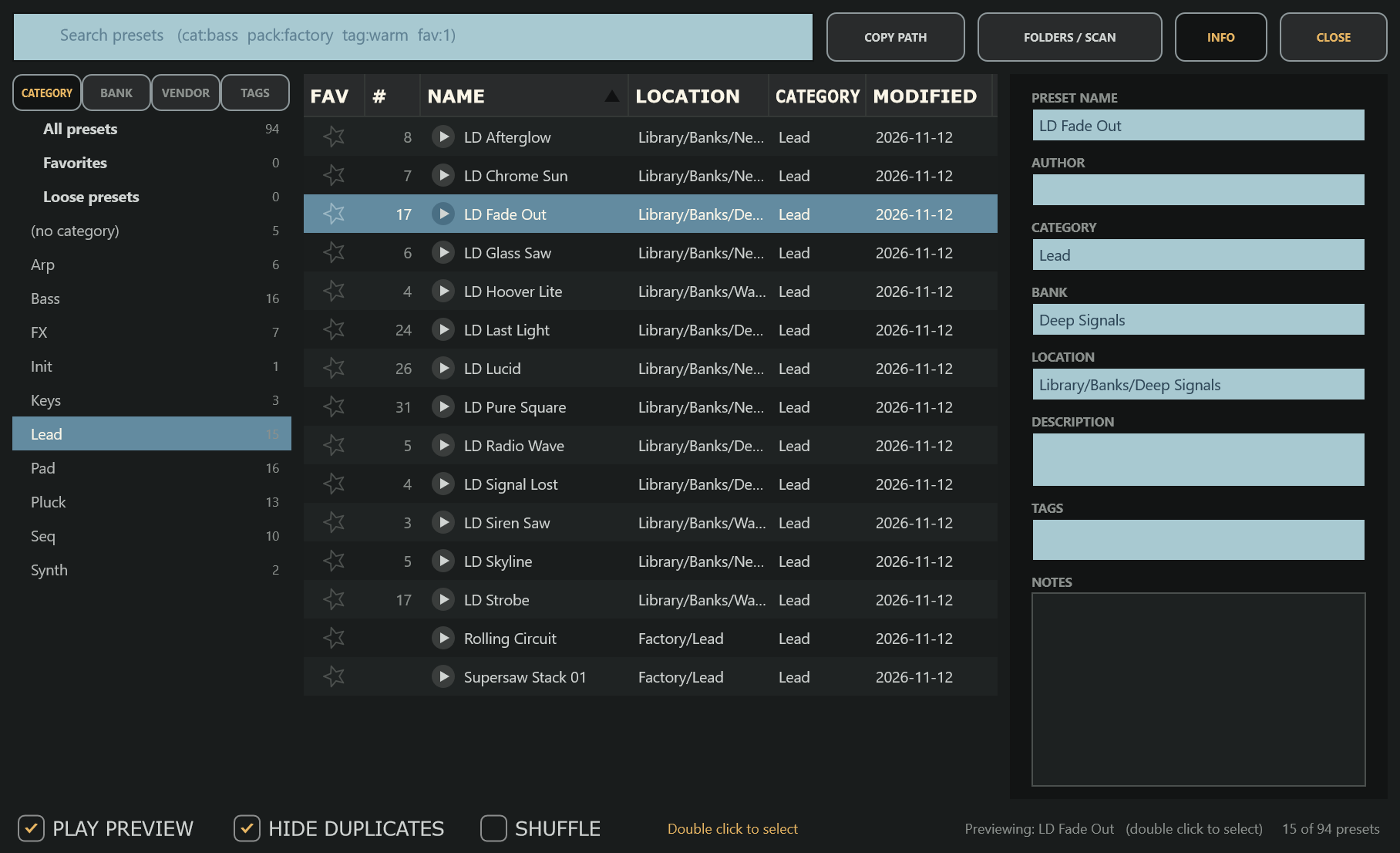
The preset browser filtered to the Lead category, with a program selected and the details panel open
Audition

Hear Presets One Click at a Time

A single click loads a preset for a moment, so your track — or a middle C with Play Preview on — plays it. Step through the list with the arrow keys; a double click keeps the one you like.

  • Browse by category, bank, vendor or tag
  • Search with cat:bass, pack:, tag: or fav:1
  • Favorites, notes, duplicate hiding and Shuffle
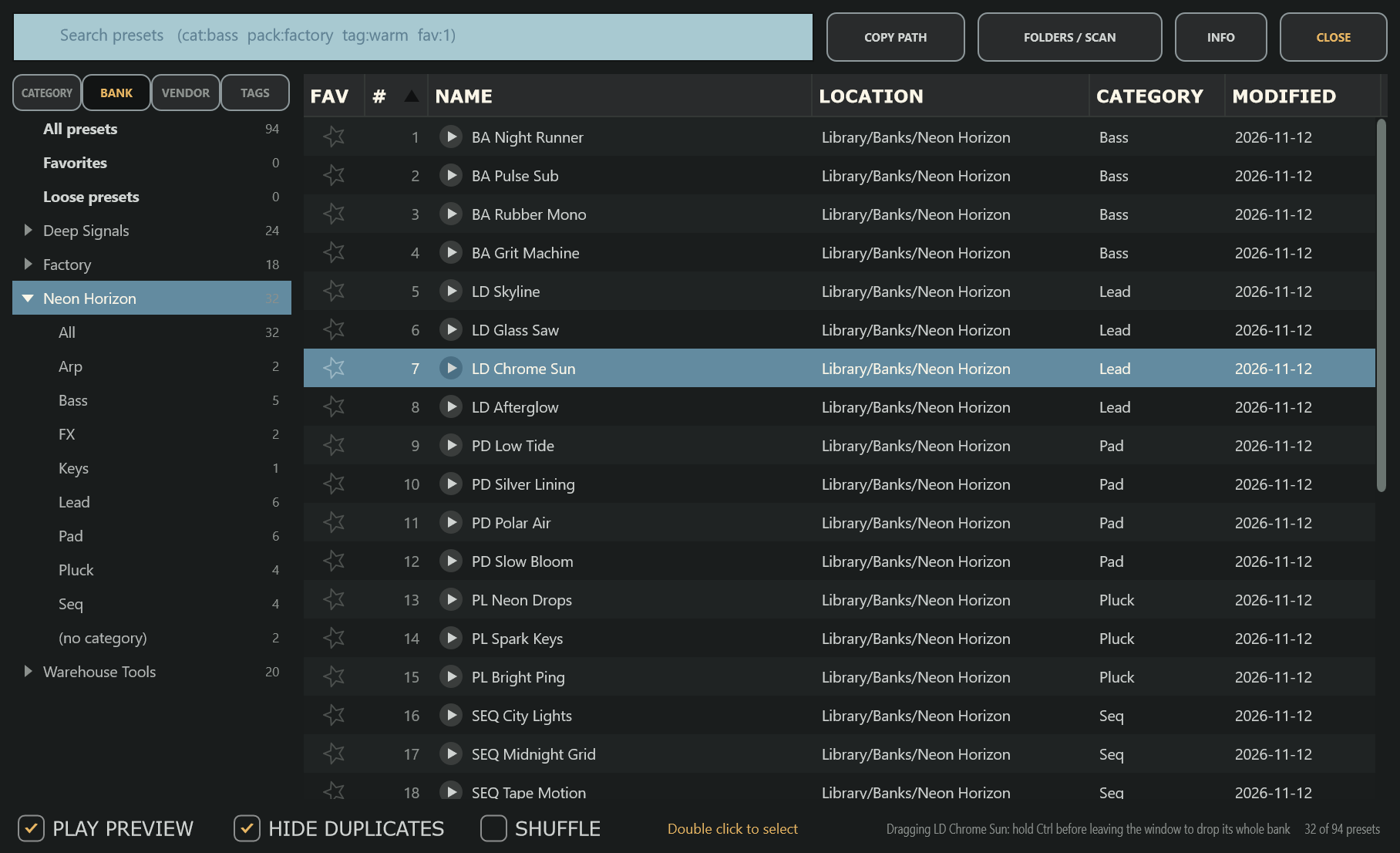
The BANK tab: a bank opened into All and its categories, listing its programs in bank order with their numbers
Banks

Whole Banks, in Their Own Order

The BANK tab lists every bank on its own. Choose one to see all of its programs, numbered and in bank order — duplicates included — or open it to browse that bank by category.

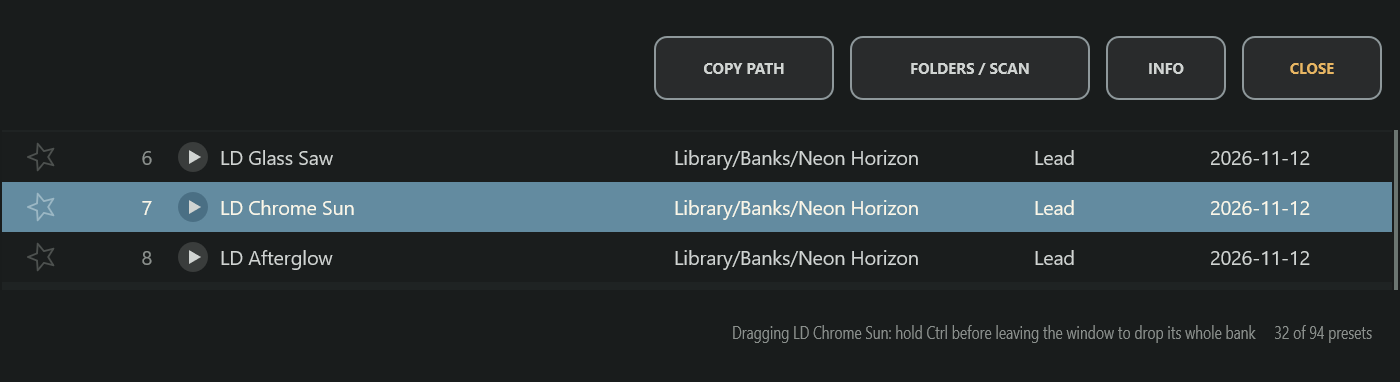
A program selected in the browser, the COPY PATH button, and the status line explaining how to drag a whole bank
Files

Take a Preset Anywhere

Drag a program from a .fxb bank or .fxp file out of the browser and it drops as a .fxp file — onto a plugin, a DAW or a folder. Hold Ctrl to drop its whole .fxb bank instead. COPY PATH (or Ctrl+C) puts the file's location on the clipboard, and a right click saves a program as its own .fxp.

Part B selected, with the delay page on the LCD
Compatibility

Your Banks Open as They Are

Synthax1 reads .fxp programs and .fxb banks in the Sylenth1® format — every container version, compressed or not — and writes unedited programs back byte for byte. Its own presets are plain .Synthax1Preset files.

Download

Free and open source — always

Coming soon
Windows · VST3 macOS · VST3 / AU Linux · VST3 Standalone

The first release is on its way. Watch the repository to hear when it's out, or build it yourself today with CMake — the instructions are in the README.

Releases on GitHub